

Deducing the Gradients#
Start off with RGB values then we only need the change to hexadecimal to display in tkinter. Determine the start and finishing colours of each gradient, also find out how each component interacts with the other components.
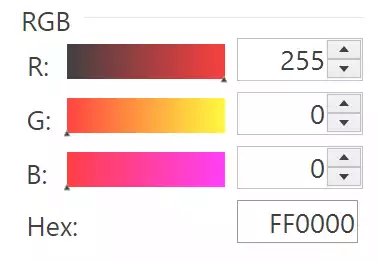
Gradients starting on Red#
Open the colourpicker in paint.net or another application, and see what the effect is on the gradients when the colour is changed. In particular move to the extreme conditions. If the red value is 255 and the other two are 0, the red gradient changes from black to red. Both green and red start from red and change to yellow and magenta respectively.
When all the components are 0 then all gradients start from black and finish at their respective colour. When the red scale (R) is adjusted the red gradient remains unchanged, but the other two gradients change.
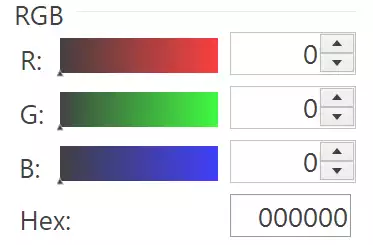
Gradients starting with Black#
Now see what happens with green and blue - they react in a similar fashion. Each RGB component starts with 0 and ends with 255 in their own gradient - the only variable components are from the other two components. In other words red starts with (0, G, B) and finishes with (255, G, B), so when all components are 0 the gradients change from black to their respective colour, and when all are 255 they start from their complementary colour and change to white at the finish. (The complementary colours are cyan, magenta and yellow for for red, green and blue).
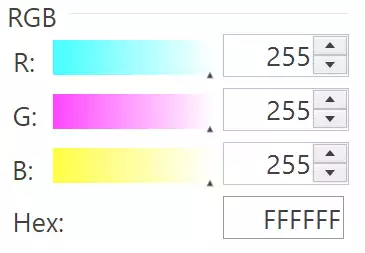
Gradients when White is Showing#