

Importing Page Content#
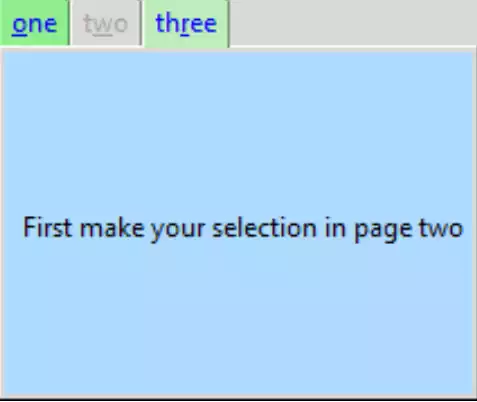
The Third Page Adjusted for Size#
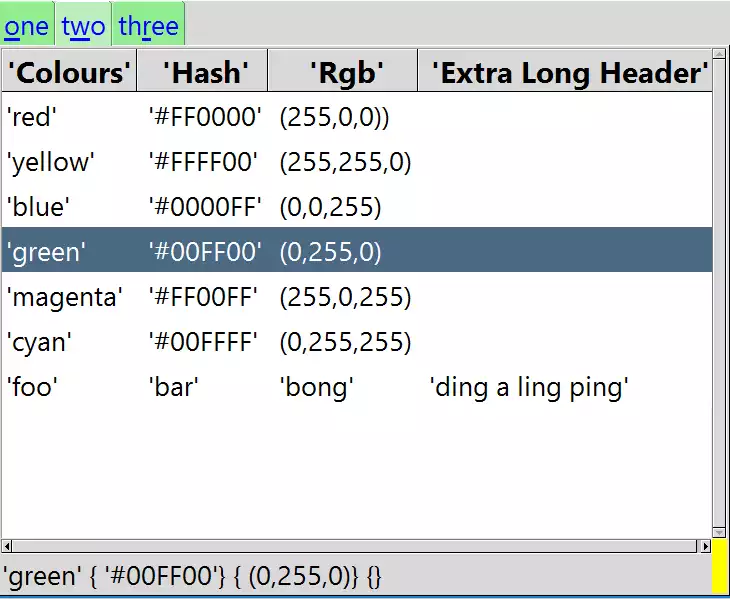
Page 2 showing Treeview Imported#
Selection made and shown on label below
Unless one is careful the size of the notebook becomes large and unwieldy - it probably is better to divide the notebook into sections that can be written and tested as separate functions or classes.
Let's use tree_function
as our test case. First check the tree_function for the required variables.
In the __main__ part of the tree function we already have an example of
how to call the tree function. There is the variable out_var,a StringVar,
insert this into notebook before calling Tree.
Instead of the button used to read the output from the tree we can simply load the output into a label within the notebook. There should be no need to change tree itself, all the changes are made to the notebook.
Start by rearranging the notebook so that there are distinct sections made in
the notebook - first, second and third pages. After importing the
tree_function by adding a sys.path, keep the first notebook page as
is, add the definitions of CSV_FILE and CSV_DELIMITER together with
OUT_VAR StringVar. Call Tree and its variables from the second page,
then add a Label to the third page to read our OUT_VAR variable:
from tkinter import Tk, Frame, StringVar, font, Label
from tkinter.ttk import Notebook, Button, Style
import sys
sys.path.insert(1, '../treeview/')
from tree_function import Tree
.........
# second page
.........
CSV_FILE = '../../csv_data/test.csv'
CSV_DELIMITER = ';'
OUT_VAR = StringVar()
OUT_VAR.set("First make your selection in page two")
Tree(page2,OUT_VAR,csv_file,csv_delimiter)
........
# third page
.........
lbl = Label(page3, textvariable=OUT_VAR, text="Ready")
lbl.grid(column=0, row=0, sticky='nsew', ipadx=5)
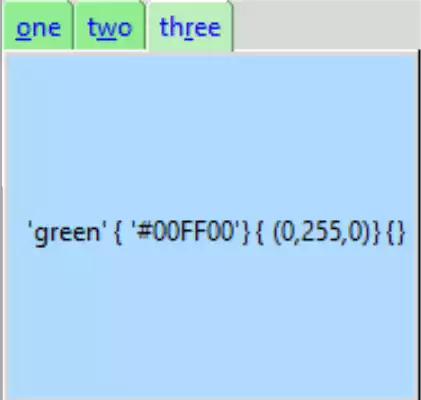
The Third Page after the Selection was made in Treeview#
Just click on the third page after making your selection. Now change your selection and check the third page.
Show/Hide Code 05nb_import.py
"""Basic notebook with 3 tabs, binding, disabled state, height and
    width adjustments, import treewiew with selection
  """

from tkinter import Tk, Frame, StringVar, font, Label
from tkinter.ttk import Notebook, Button, Style
import sys
sys.path.insert(1, '../treeview/')
from tree_function import Tree

root = Tk()
st1 = Style()
st1.theme_use('default')
st1.configure(
    'green.TNotebook.Tab',
    background='light green',
    foreground='blue')
st1.map('green.TNotebook.Tab', background=[
        ('disabled', '#d9d9d9'), ('selected', '#bceebc')])

test_size = font.Font(family="Times", size=12, weight="bold").measure('Test')
mult = int(test_size / 30)

def tab_changed(event):
    """notebook handler changes width and height after a tab is selected

    Parameters
    ----------
    event : str
        bind event
    """
    event.widget.update_idletasks()
    tc1 = event.widget.nametowidget(event.widget.select())
    event.widget.configure(
        height=tc1.winfo_reqheight(),
        width=tc1.winfo_reqwidth())


nb1 = Notebook(root, style='green.TNotebook')
nb1.bind("<<NotebookTabChanged>>", tab_changed)
nb1.grid(row=0, column=0)
nb1.enable_traversal()

# first page
page1 = Frame(root, background='red', height=70*mult)

enabler = Button(page1, text='Enable Tab two\n Test it out',
                 command=lambda: nb1.tab(1, state='normal'))
enabler.pack(ipadx=5, ipady=5)

nb1.add(page1, text='one', underline=0, padding=2)

# second page
page2 = Frame(root, background='yellow', height=20*mult)

CSV_FILE = '../../csv_data/test.csv'
CSV_DELIMITER = ';'
OUT_VAR = StringVar()
OUT_VAR.set("First make your selection in page two")
tree = Tree(page2, CSV_FILE, OUT_VAR, CSV_DELIMITER)

nb1.add(page2, text='two', underline=1, padding=2, state='disabled')

# third page
page3 = Frame(root, background='alice blue', height=120*mult)

lbl = Label(
    page3,
    text='waiting',
    textvariable=OUT_VAR,
    bg='#AFDBFF',
    height=10*mult)
lbl.grid(column=0, row=1, sticky='e', ipadx=5)

nb1.add(page3, text='three', underline=2, padding=2)

root.mainloop()