

Basic 3 Tab System#
Console |
IDE |
|---|---|
|
|
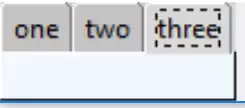
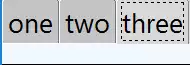
The notebook is a container for other widgets and their contents. Form a notebook with 3 tabs each having a different coloured frame:
from tkinter import Tk, Frame
from tkinter.ttk import Notebook, Style

root = Tk()
s = Style()
st1.theme_use('default')

test_size = font.Font(family="Times", size=12, weight="bold").measure('Test')
mult = int(test_size / 30)

nb1 = Notebook(root)
page1 = Frame(root, background = 'red', height= 20*mult)
page2 = Frame(root, background = 'yellow', height= 20*mult)
page3 = Frame(root, background = 'alice blue', height= 20*mult)
nb1.grid(row=0, column=0)
nb1.add(page1, text = 'one')
nb1.add(page2, text = 'two')
nb1.add(page3, text = 'three')
root.mainloop()
Note that the notebook itself relies on normal layout management, such as
grid or pack, while each tab has an add method to include the
tab's contents. The first child of each page is often a frame, therefore
the add method only affects the frame, thereafter use the normal layout
management for that frame. Each frame has been called pageN (where N is an
integer).
To make each page look similar the height has been adjusted by a multiplier, calculated from the length of "Test" in a known font. On a normal monitor it will be 30 pixels long, on an Ultra High Definition monitor it will have a different value - on my monitor it shows 66 pixels, 2.2 times that of the normal monitor.