

Widely Used Themed Widgets#
DPI unaware ttk widgets |
DPI aware ttk widgets |
|---|---|
|
|
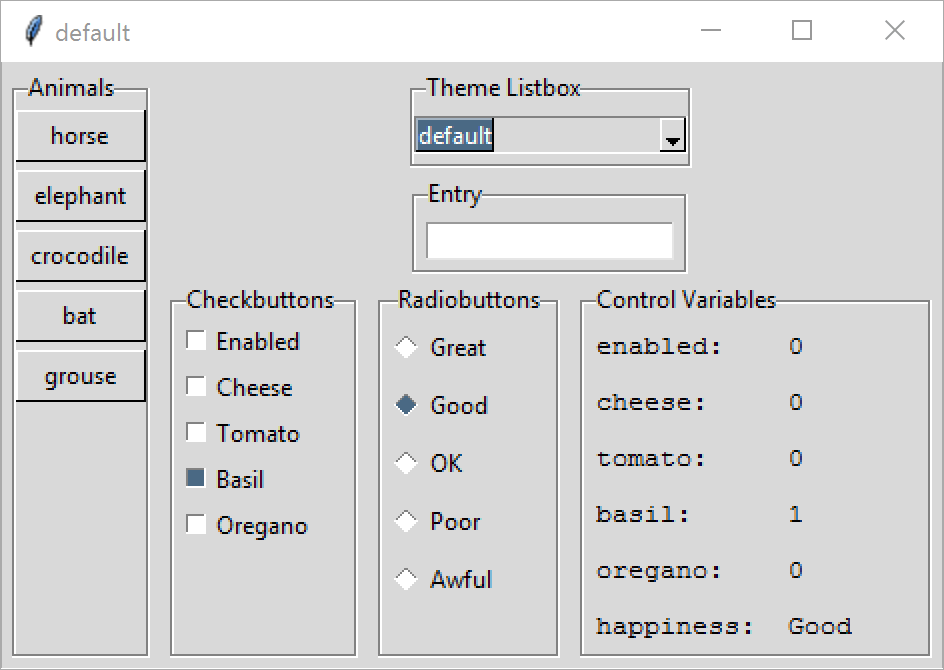
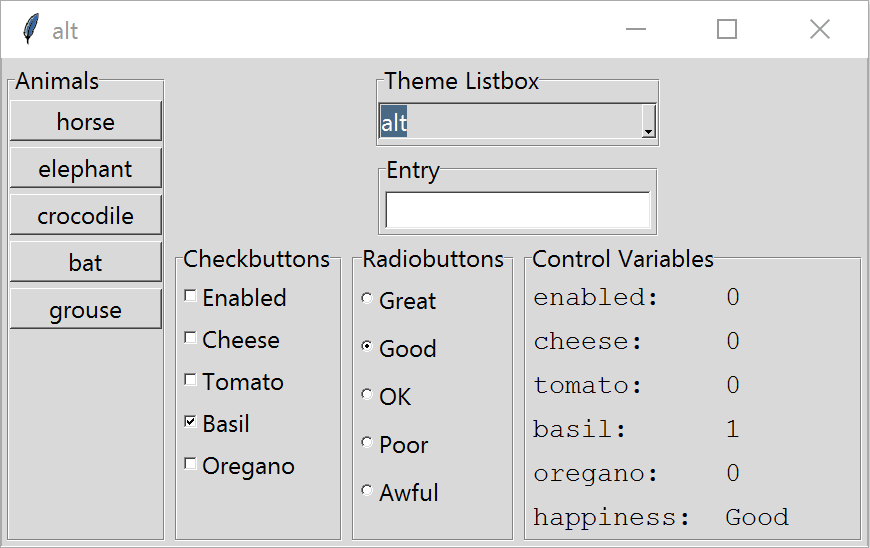
This is similar to the standard tkinter widgets shown before, except that the list box has been replaced by a combobox, which has been made active to select a new theme. As before the left hand image is DPI unaware, whilst the right hand image is DPI aware. The results are much as before, the main problem is that the indicators on the check and radio buttons become smaller when in DPI Aware mode. They remain too small even after applying scaling. This applies to all four standard themes, (alt, clam, classic and default) but for Windows where vista and xpnative are available the indicators stay large. Mac users can test their own theme aqua. There is no attribute to turn the indicator off on ttk radio and check buttons, nor can the style configuration options always be used to adjust the indicator size.
DPI aware ttk widgets with scaling |
DPI aware ttk widgets with scaling and vista |
|---|---|

|

|
For the moment there is no quick fix for the check and radio buttons
when using
alt. Configured clam using indicatorsize, whilst classic
and default can be configured using indicatordiameter, vista and
xpnative need no adjustment.
If the alt theme is to be used we need to closely examine the size and colours of the check and radio buttons in the required states, duplicate these with a scaling factor in a PIL script, which then loads the images into tkinter. As such it may not interest the general user to create a special module only for alt, but the principle of creating scaleable images used as widgets sounds interesting Check and Radio Buttons.
More Themed Widgets#
DPI unaware more ttk widgets |
DPI aware more ttk widgets |
|---|---|

|
|
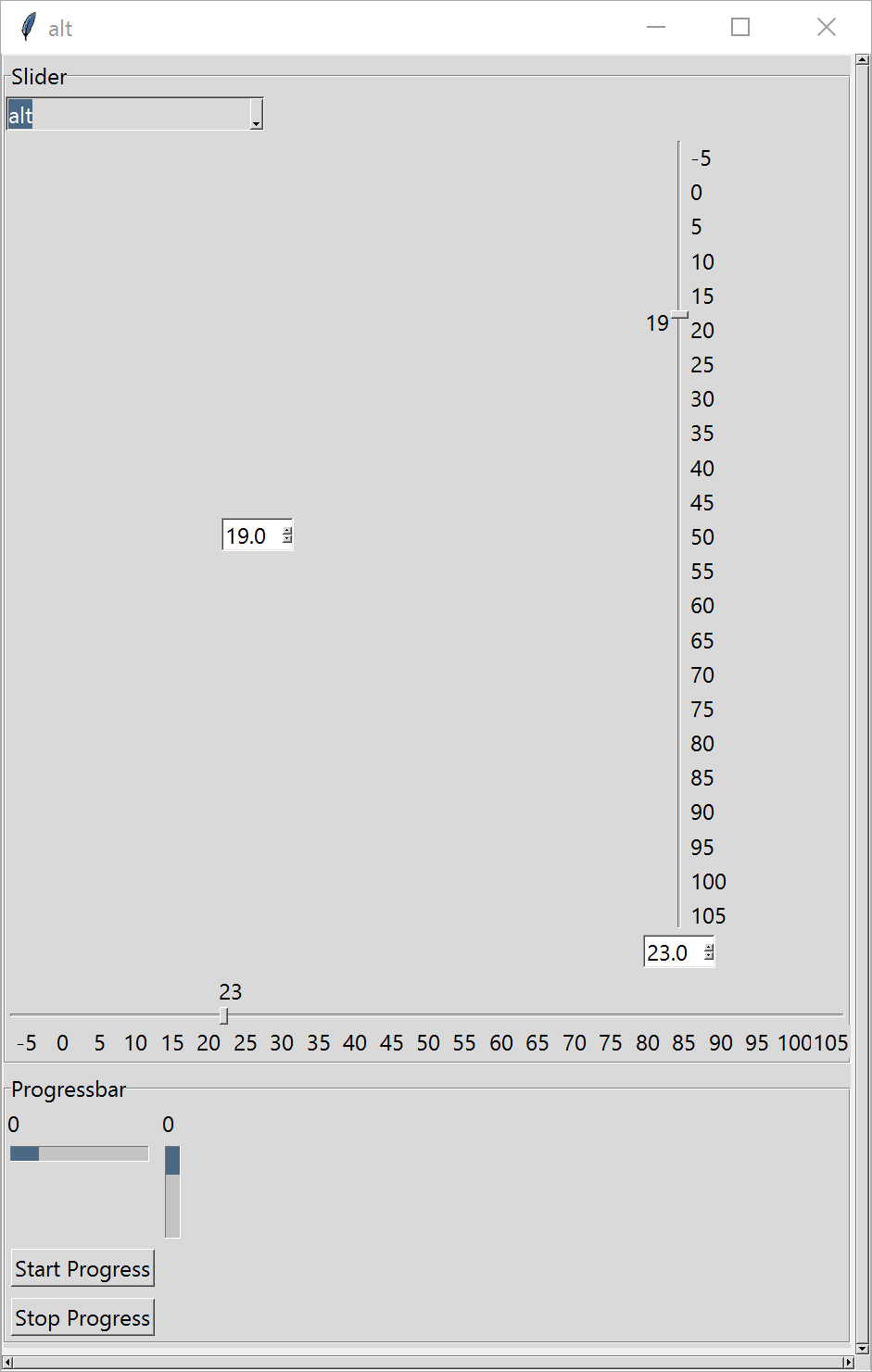
As with the standard tkinter widgets consider scale, scrollbars, spinboxes and progressbars, canvas is required to tie in with the scrollbars. Add a second labelframe to contain the scrollbars. This time make a frame the parent of the canvas and scrollbars, the scrollable frame is the parent to the two labelframes which contain the remaining widgets.
The ordinary themed scales are replaced by a customised class that gives the functionality of the tkinter standard scale. Information on building this class can be found later on this in site ttk Scale.